Network topology
Fabric → Topology maps switches and server NIC connections discovered through LLDP.
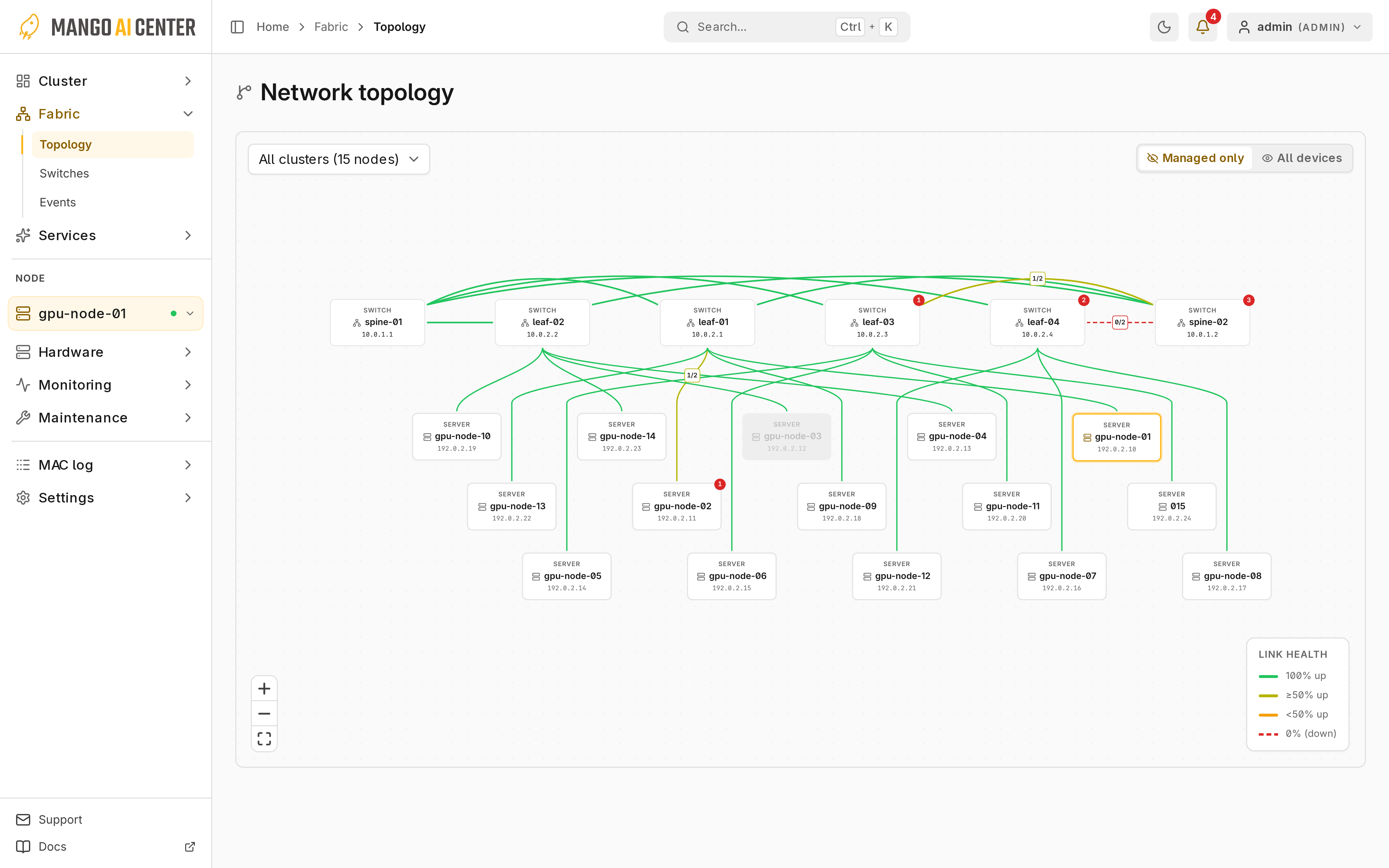
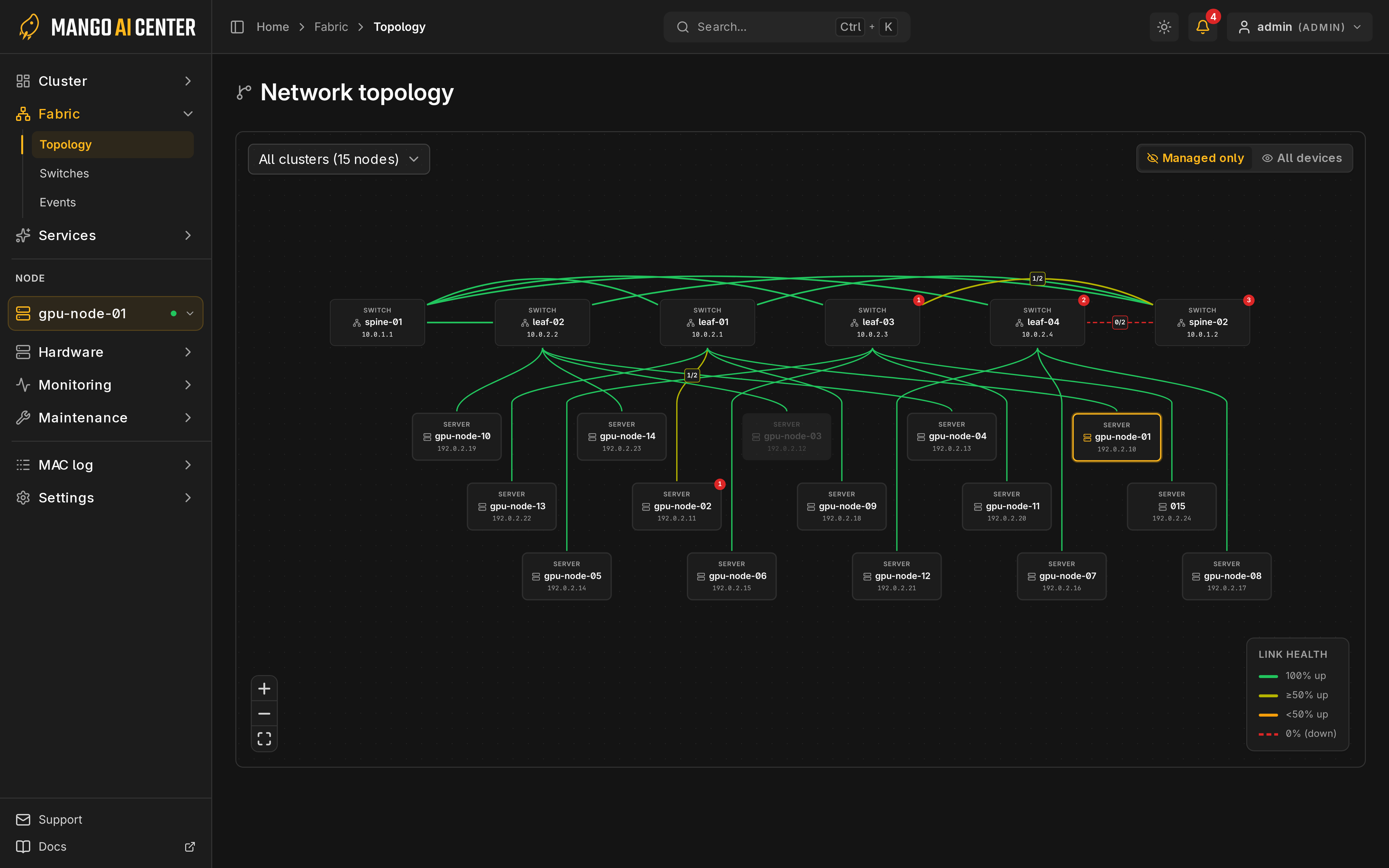
Devices and Links
Each edge groups the links between two devices. Its color shows how many are up: green (all), lime (at least half), yellow (fewer than half) or dashed red (none). Expand interfaces for individual links. Select a server for NIC details, or a managed switch to open its panel. Direct server-to-server RDMA cables are not drawn.
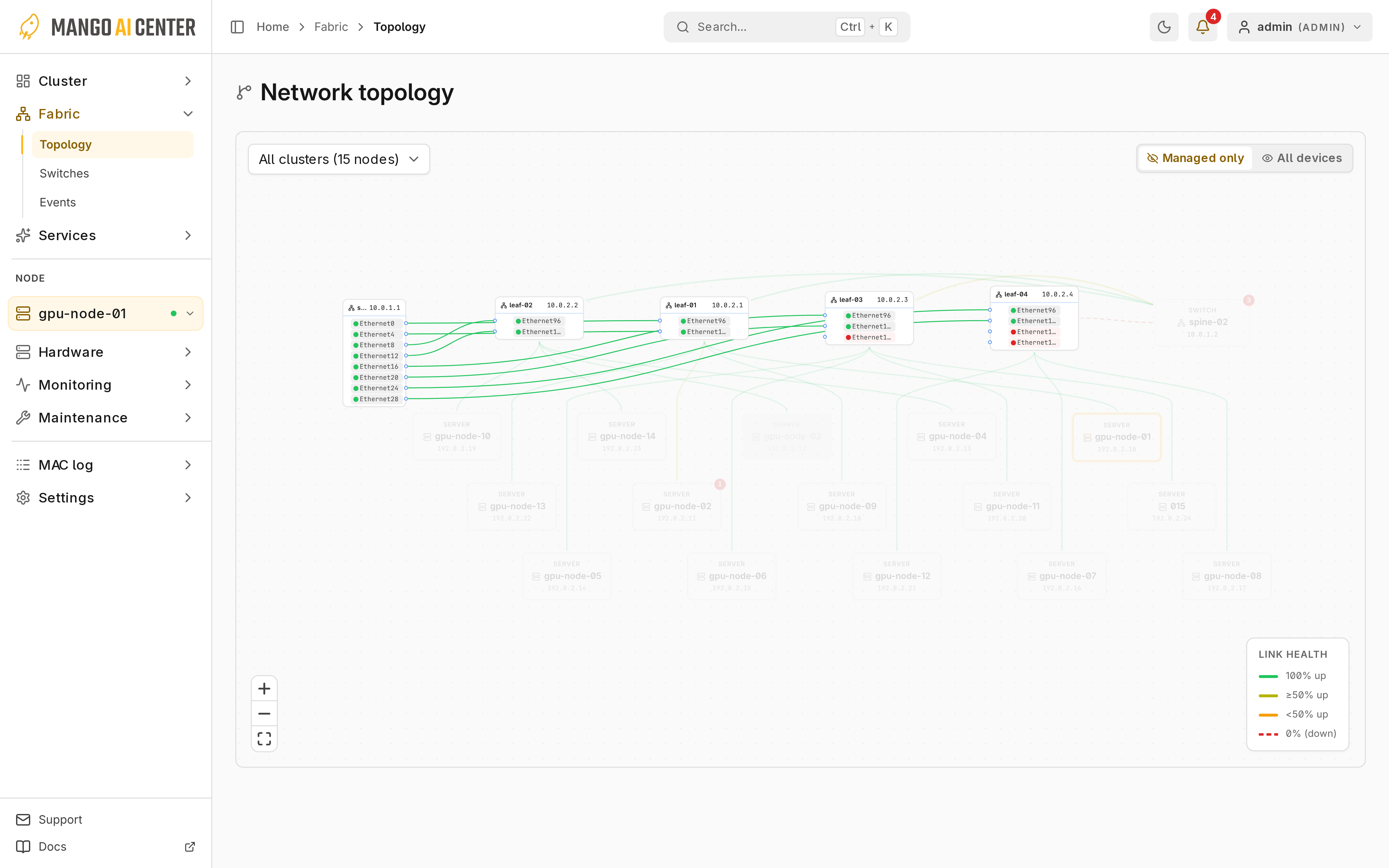
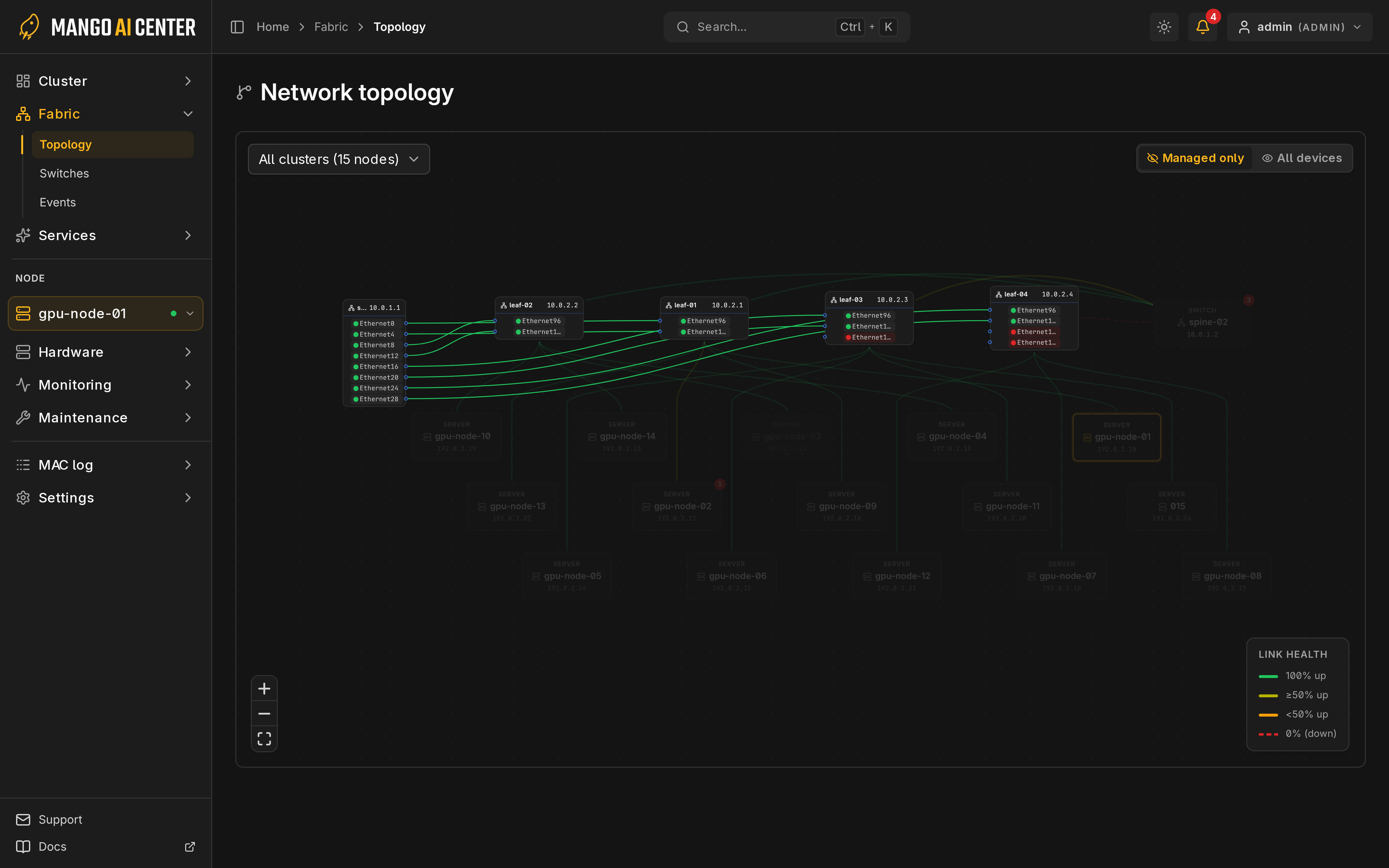
Controls
- The cluster picker selects one fabric; All clusters shows all of them.
- Managed only / All devices hides or shows unmanaged LLDP devices.
The bottom banner lists registered servers missing from the map; check their LLDP and link state. For traffic, use Switch Counters and NIC Performance.
Link History
Fabric events shows each link's state changes.