Network Topology
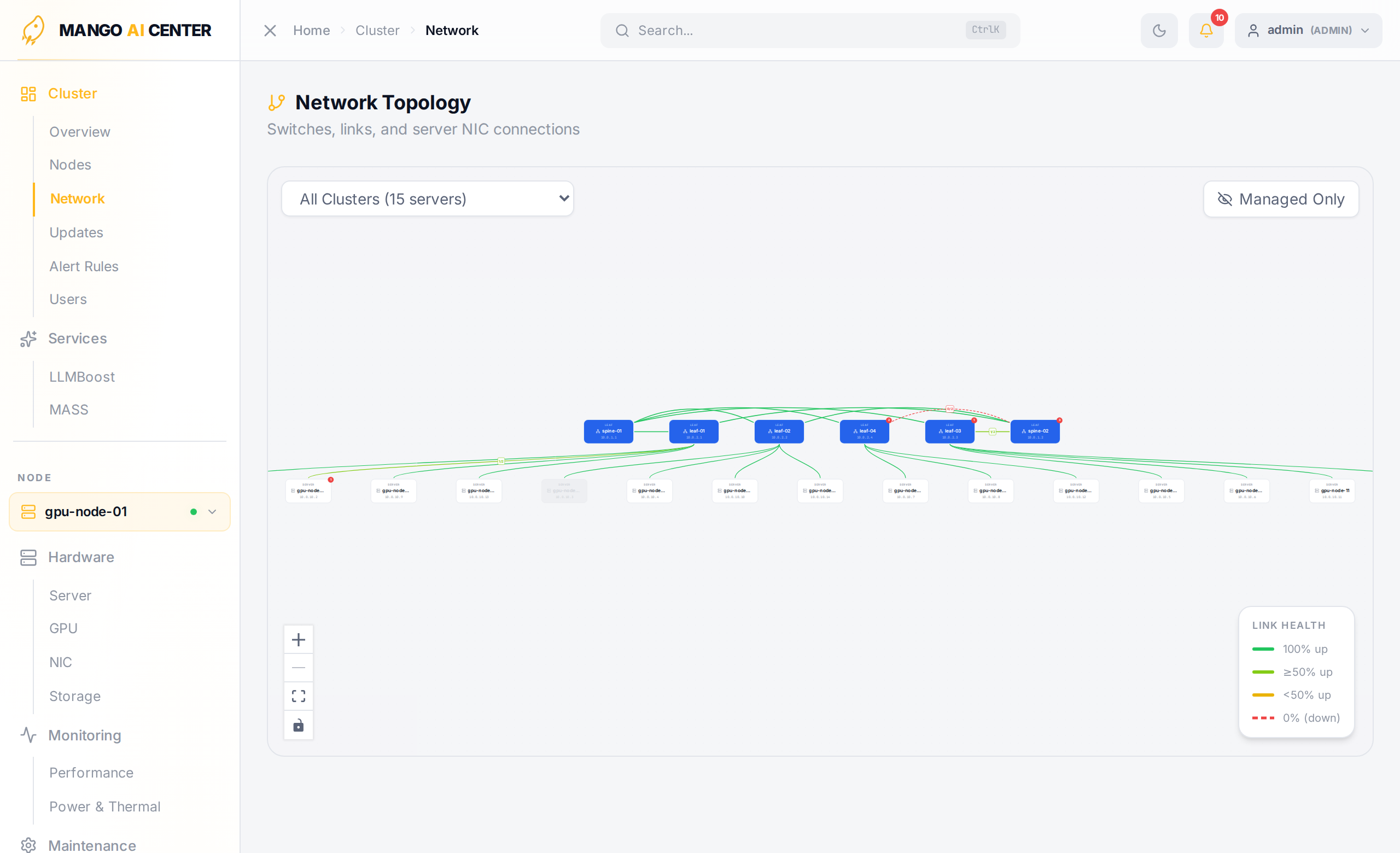
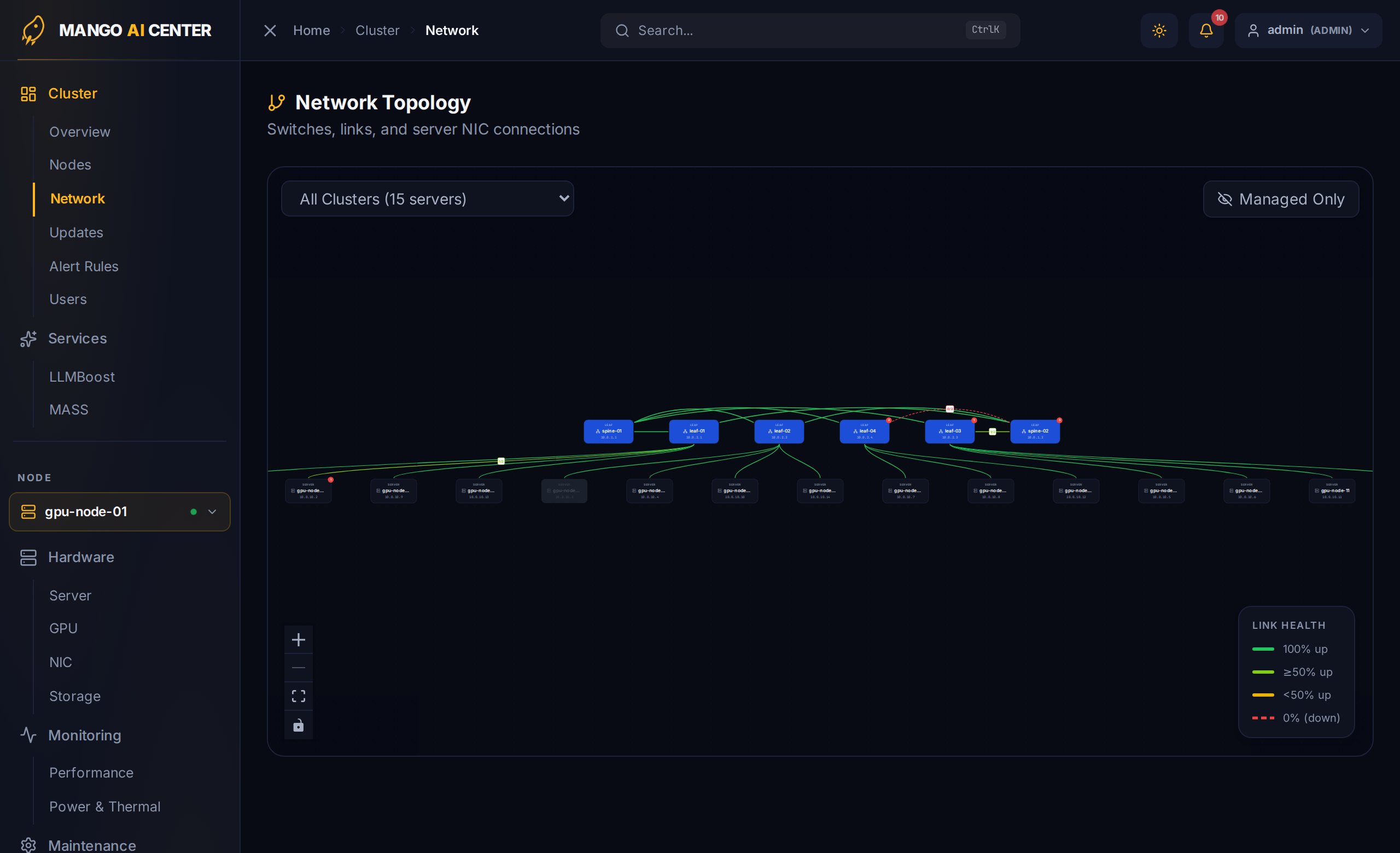
An interactive map of your switch and server fabric. Switches appear along the top tier(s), servers along the bottom; the layout uses a multi-tier Clos heuristic that minimizes edge crossings.
What the Map Shows
-
Switches are wide cards with their hostname / chassis-ID and management IP.
-
Servers are smaller cards beneath the switches they connect to.
-
Edges between cards are colored by aggregate link health: each edge represents all physical links between the two devices, with a 4-level scale based on the up / total ratio:
Color Meaning Green 100 % of links up Lime ≥ 50 % up Yellow < 50 % up Red (dashed) 0 % up (link is fully down)
A legend in the lower-right corner of the canvas shows the current scale.
Expand-on-Click
Click the Expand interfaces badge on any node to switch it into per-port mode — every physical interface becomes a sub-node with its own edge, including down or unconnected ports. This is the fastest way to find a faulty cable.
Toolbar
- Cluster filter — narrow the map to one fabric in multi-cluster setups.
- Managed Only / All — toggles whether LLDP-discovered devices are also shown. Discovered (unmanaged) nodes render with a dashed border.
- Standard React-Flow zoom controls live in the lower-left corner.
Footer Banner
A yellow banner flags servers that are registered as agents but absent from the fabric — usually a clue that a NIC link is down or LLDP is not flowing.
Switch Configuration
Click a managed switch to drill into its configuration panel — interfaces, BGP, counters, and the Web Terminal. See Switches for the full feature tour.
Common Workflows
- "Why is rack 3 slow?" — turn on per-port mode for the involved server, look for yellow / red edges. Drill into the offending switch to inspect counters.
- "Did we cable the new server correctly?" — find the new node on the map; if it has fewer green edges than expected, you have a cabling mistake or a link that didn't come up.
- "Is the spine fully connected to every leaf?" — the multi-tier layout makes spine / leaf miss-cabling visible at a glance.