BMC Console
Out-of-band server management for the picked node. The BMC page connects to the host BMC via Redfish (over an authenticated HTTP session) and exposes power control, hardware status, and a remote graphical console.
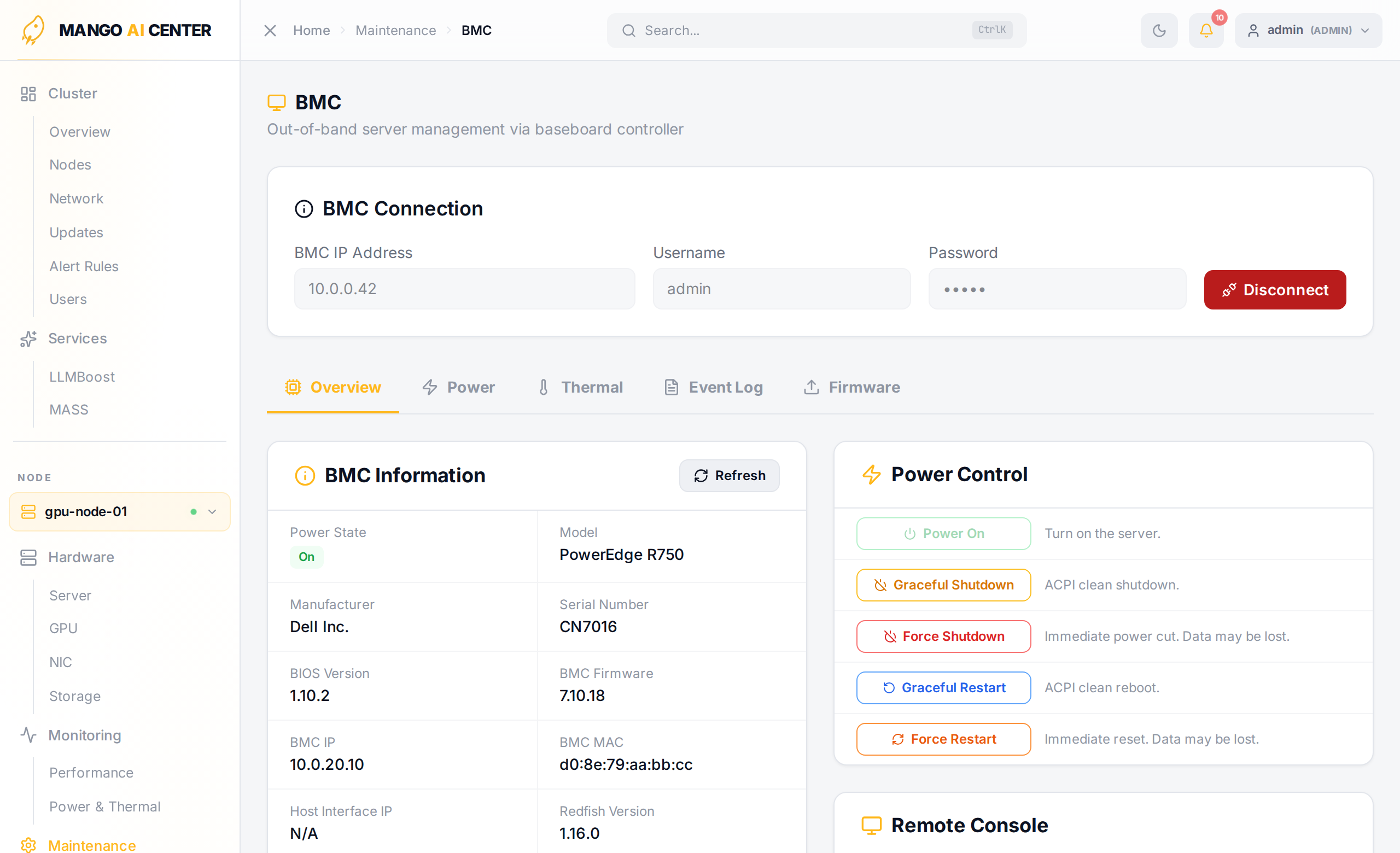
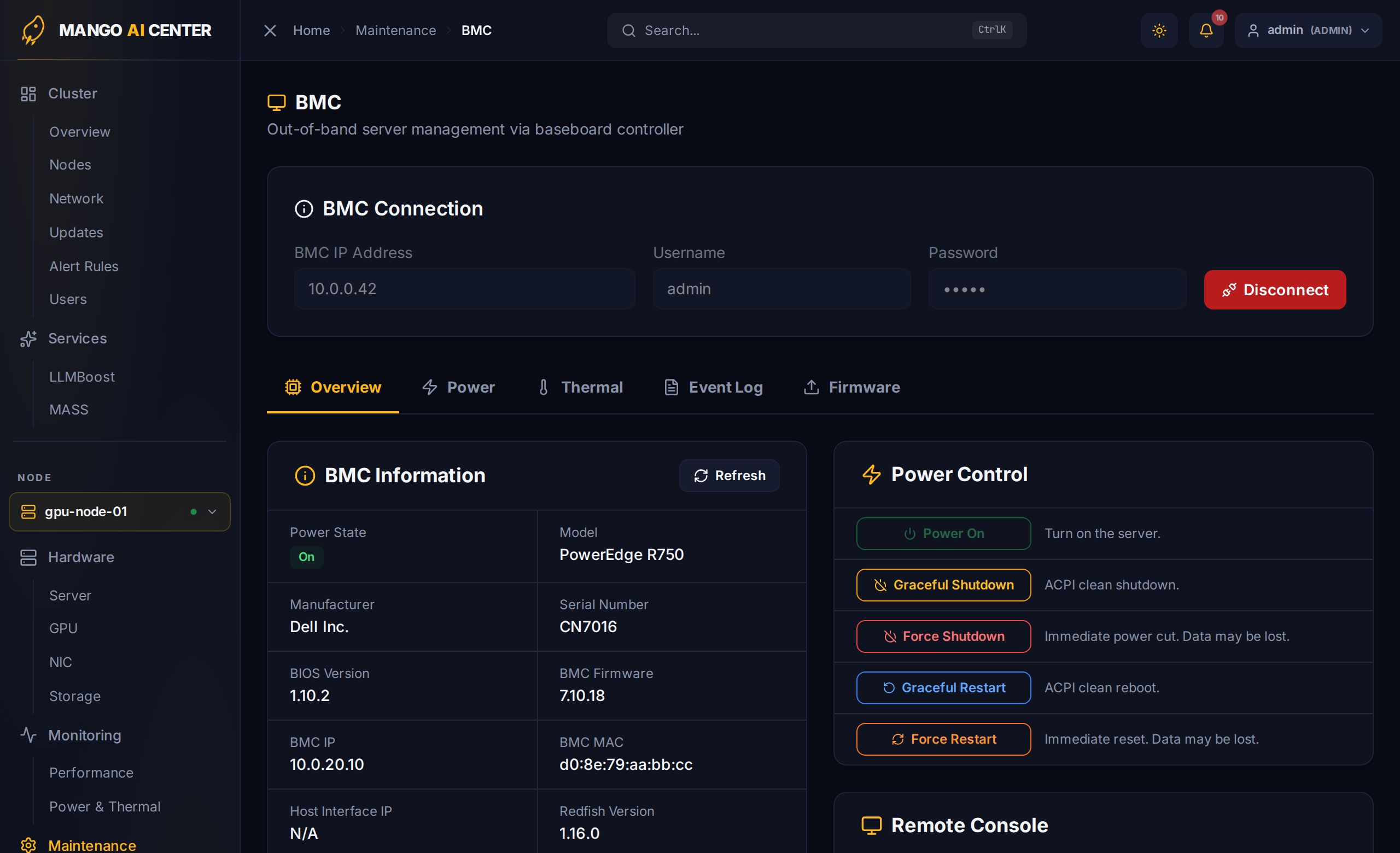
Connecting
The page opens with three credential fields:
- BMC IP Address — pre-filled from the picked node's BMC IP when known
- Username
- Password
Click Connect to authenticate. On success the page reveals five tabs:
- Overview — BMC hardware identity (model, serial, BIOS version, MAC, UUID), live power state
- Power — detailed Redfish power readings (PSU draw, redundancy)
- Thermal — fan RPMs and chassis temperature sensors
- Event Log — Redfish SEL entries
- Firmware — BMC and BIOS firmware inventory
Credentials are cached in sessionStorage for the rest of the browser tab; click
Disconnect to clear them.
Power Actions
Five buttons appear on the Overview tab once connected. Each (except Power On) opens a confirmation dialog before sending the request to Redfish.
| Button | Effect |
|---|---|
| Power On | Cold-boot a halted system |
| Graceful Shutdown | ACPI clean shutdown — the OS receives a power button event |
| Force Shutdown | Immediate power cut. Data may be lost. |
| Graceful Restart | ACPI clean reboot |
| Force Restart | Immediate hardware reset. Data may be lost. |
Every action is recorded in the Audit Log with the operator's username.
Remote Console (iKVM)
The Remote Console card on the Overview tab opens the BMC's HTML5 iKVM viewer in a new browser tab. MAC handles the BMC-side authentication step and hands you a pre-authorized iKVM URL — you don't need to log in to the vendor's iKVM page separately.
This is the right tool for:
- Watching boot output / catching boot failures
- Driving the BIOS / UEFI setup screen
- Recovering a host that's wedged before SSH is available
BMC Credentials
BMC IP, username, and password live in browser session storage only — they are not persisted on the master. Re-enter them each session, or save them in your password manager.
If the BMC IP was discovered automatically from the picked node, the field is pre-filled the first time you visit the page.