Storage
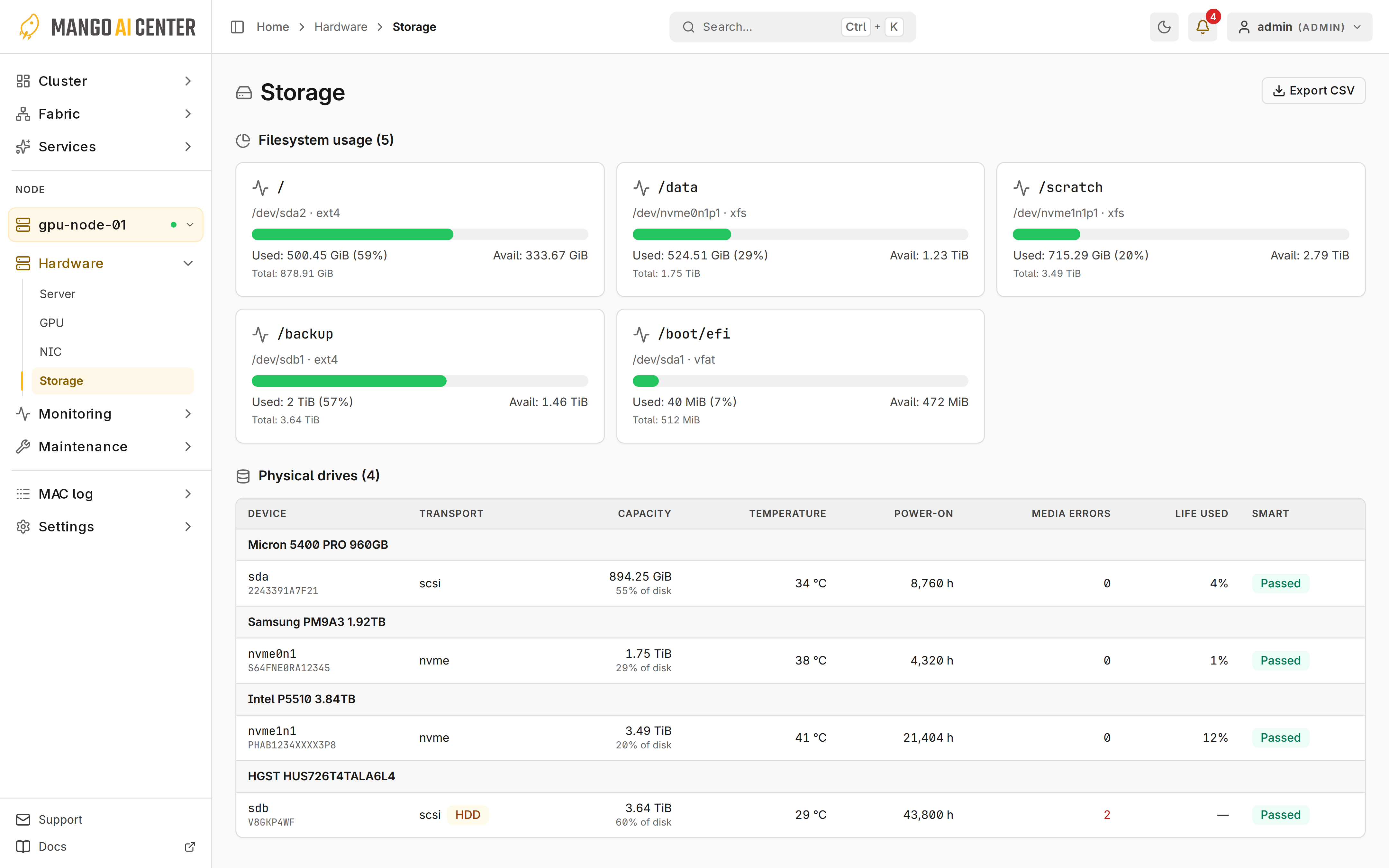
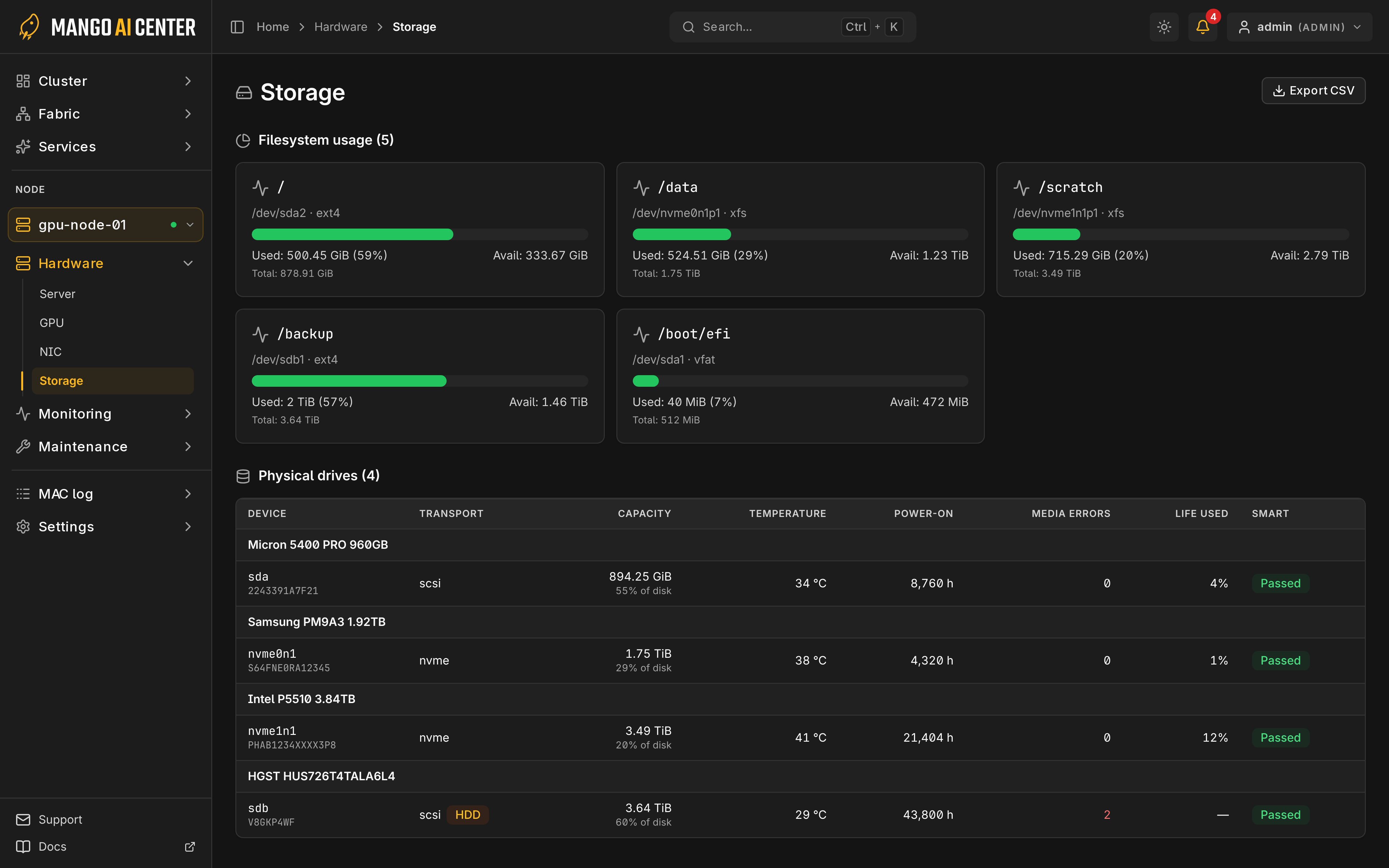
Hardware → Storage shows filesystem capacity and drive health for the selected node.
Filesystem usage
Usage is calculated like df, so reserved space does not count as available. NFS and
virtual mounts are not shown.
Physical drives
A dash means the SMART verdict is unavailable; controller support varies. A failed SMART read can raise Storage SMART unhealthy, naming the unreadable drive; inspect that drive and its controller before treating missing data as healthy.
Trends and Export
I/O trends are on Performance. Export CSV saves drive identity and health, not filesystem usage.