GPU
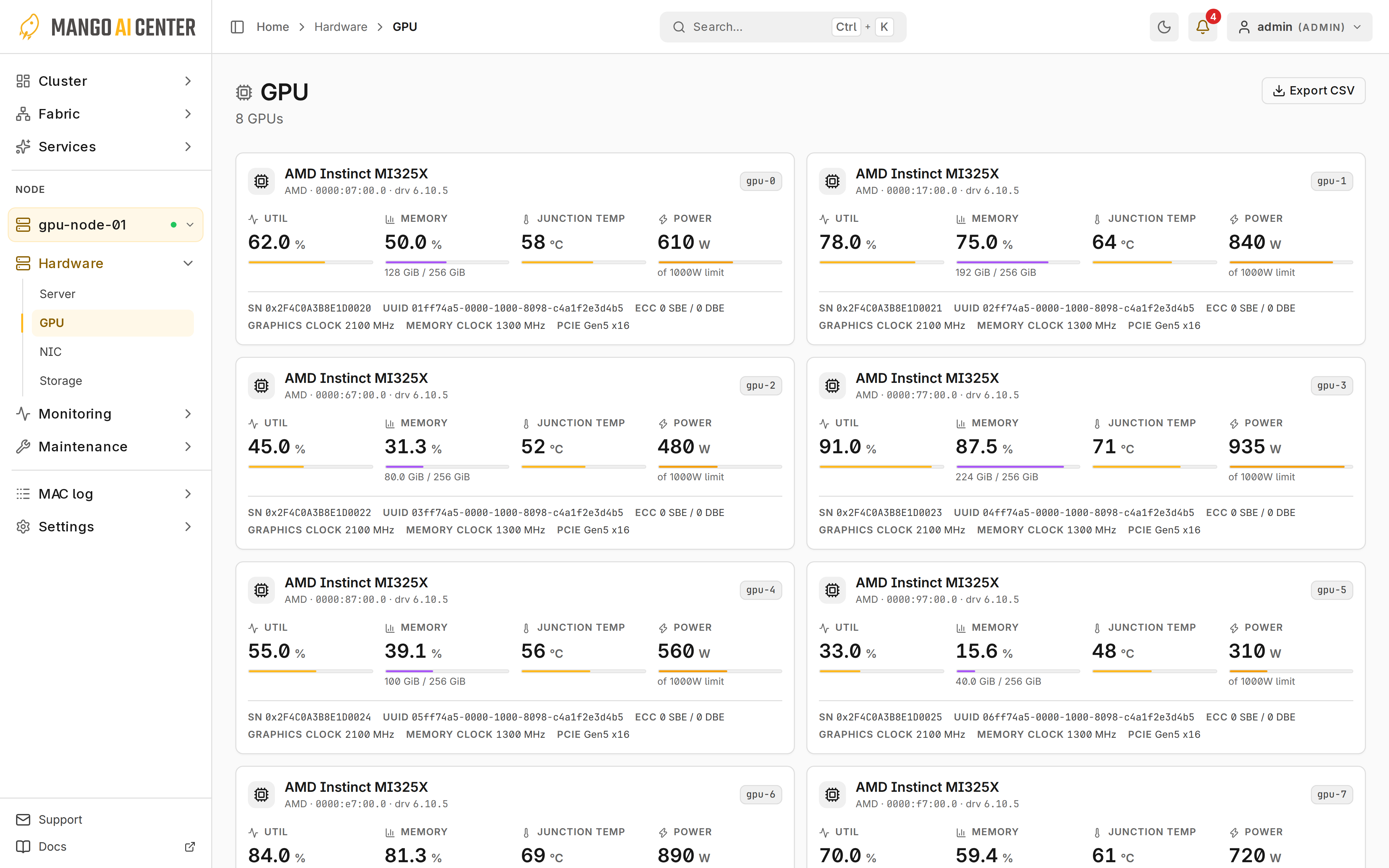
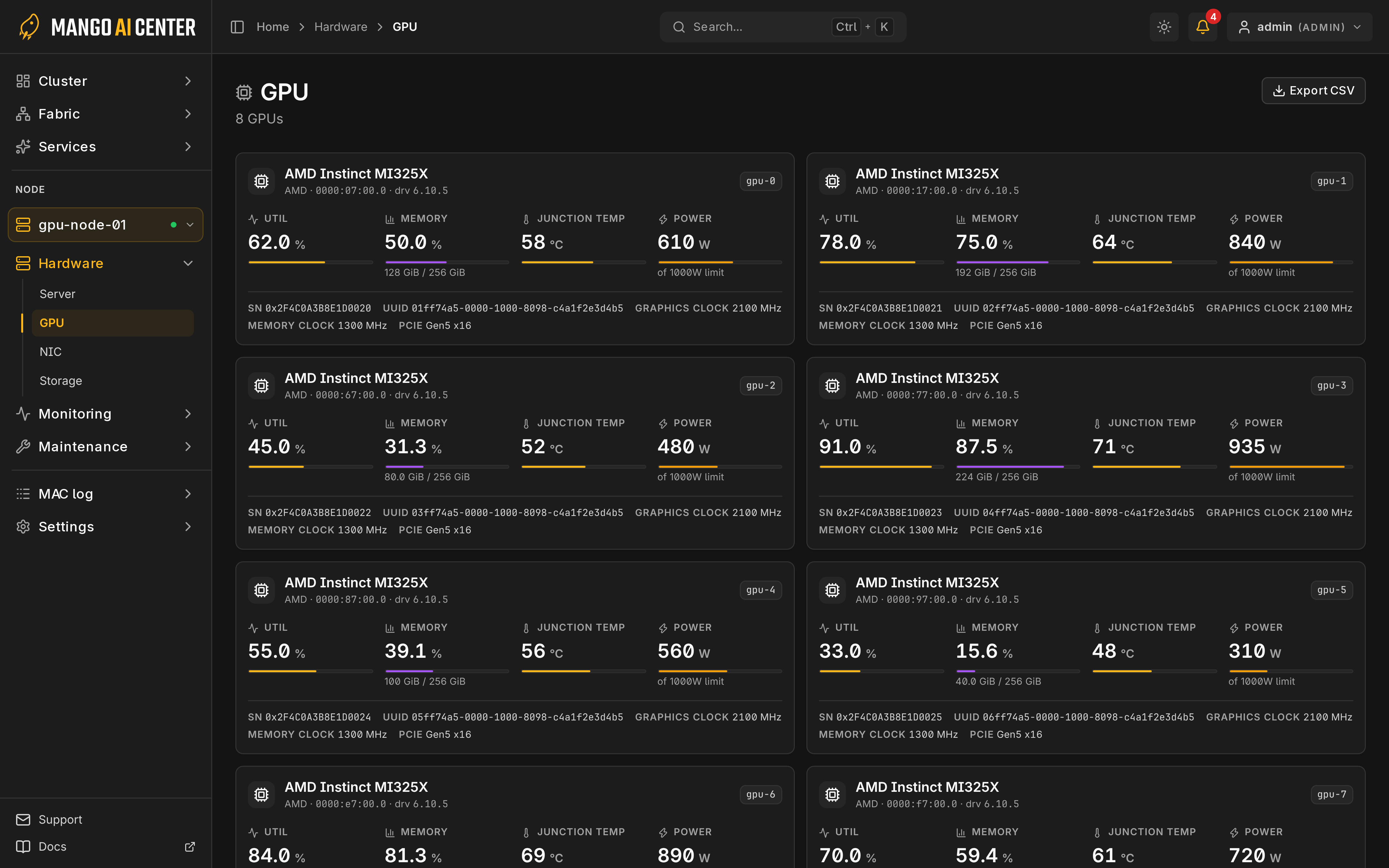
Hardware → GPU shows the GPUs on the selected node.
Read a Card
Each card shows identity, utilization, memory, temperature, power, clocks and PCIe.
AMD Partitions and Readings
- Cards are identified by board serial, not logical GPU number, which can change after repartitioning.
- Board power and temperature may appear only on partition 0.
- Junction, edge and memory temperatures are different sensors; compare the matching one with the temperature rules.
Telemetry can pause briefly after a partition change; see AMD monitoring recovery.
History and Export
Export CSV saves inventory, ECC and throttle data. Throttle none means no reported cause; blank means unknown. Lower clocks at idle are not a fault.